Common Use Cases
DrupalPod AI QA can launch environments for several different kinds of AI issue workflows.
In most cases, you are either:
- Testing an issue in the main AI project itself
- Testing another module against a specific AI base version
- Building a broader Drupal CMS and AI environment to explore modules
1. Test an Issue in the AI Base Project
This covers issues where the change being tested is in the main
ai project itself.
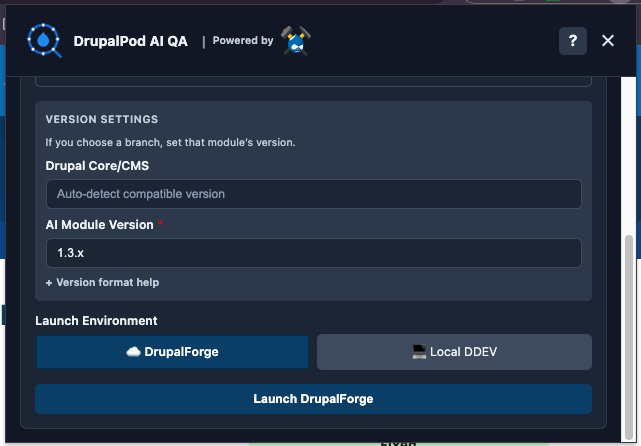
Here, the environment is built around:
- A selected AI base version
- A specific AI issue fork and branch
Example:
- Test an issue in the main
aiproject on a specific AI fork and branch
2. Test Another Module Against an AI Base Version
This covers issues in a separate AI ecosystem module, such as
ai_image_alt_text,
ai_agents, or another contrib
module that depends on the ai project.
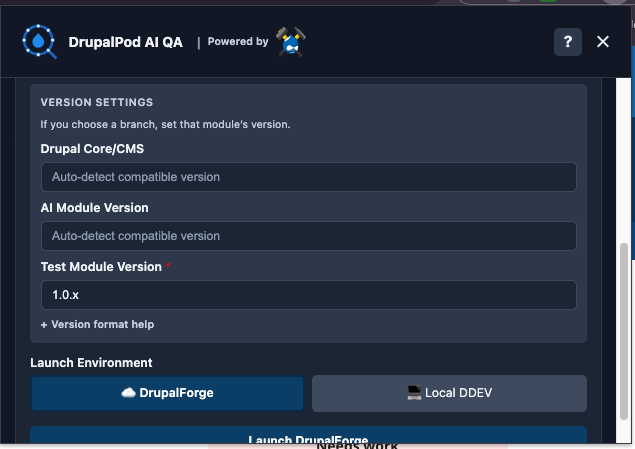
Here, you are testing:
- A specific module issue, branch, or fork
- Against a selected or auto-detected AI base version
- Optionally against a specific AI base fork and branch as well
Example:
- Test
ai_image_alt_textorai_agentsagainst a specific AI base version such as1.4.xor2.0.x
This is useful when you need to answer questions like:
- Does this submodule still work with AI 1.4.x?
- Does this issue branch behave correctly against AI 2.0.x?
- Is the problem caused by the module itself, or by the AI base version it is running against?
Advanced: override both module and AI base values
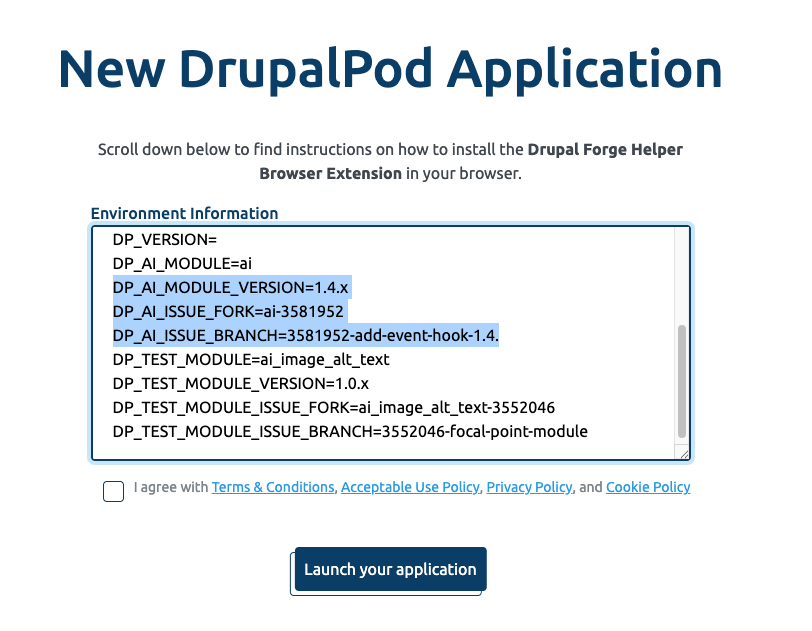
If needed, you can override the generated DrupalForge variables so the environment uses both:
- A custom module fork and branch
- A custom AI base fork and branch
This is useful for advanced compatibility testing when both the module under test and the AI base need to be pinned to specific work in progress.
For this to work correctly, you usually need three AI base values from the issue you are testing:
- The AI version the fork or branch is targeting
- The AI fork name
- The AI branch name
In practice, you can usually get all three from the issue page or the related issue fork details.
3. Build a General AI Environment for Exploration
This covers cases where you do not need to test one specific issue branch, but want a Drupal CMS or Drupal core environment with AI and a broader set of AI ecosystem modules available.
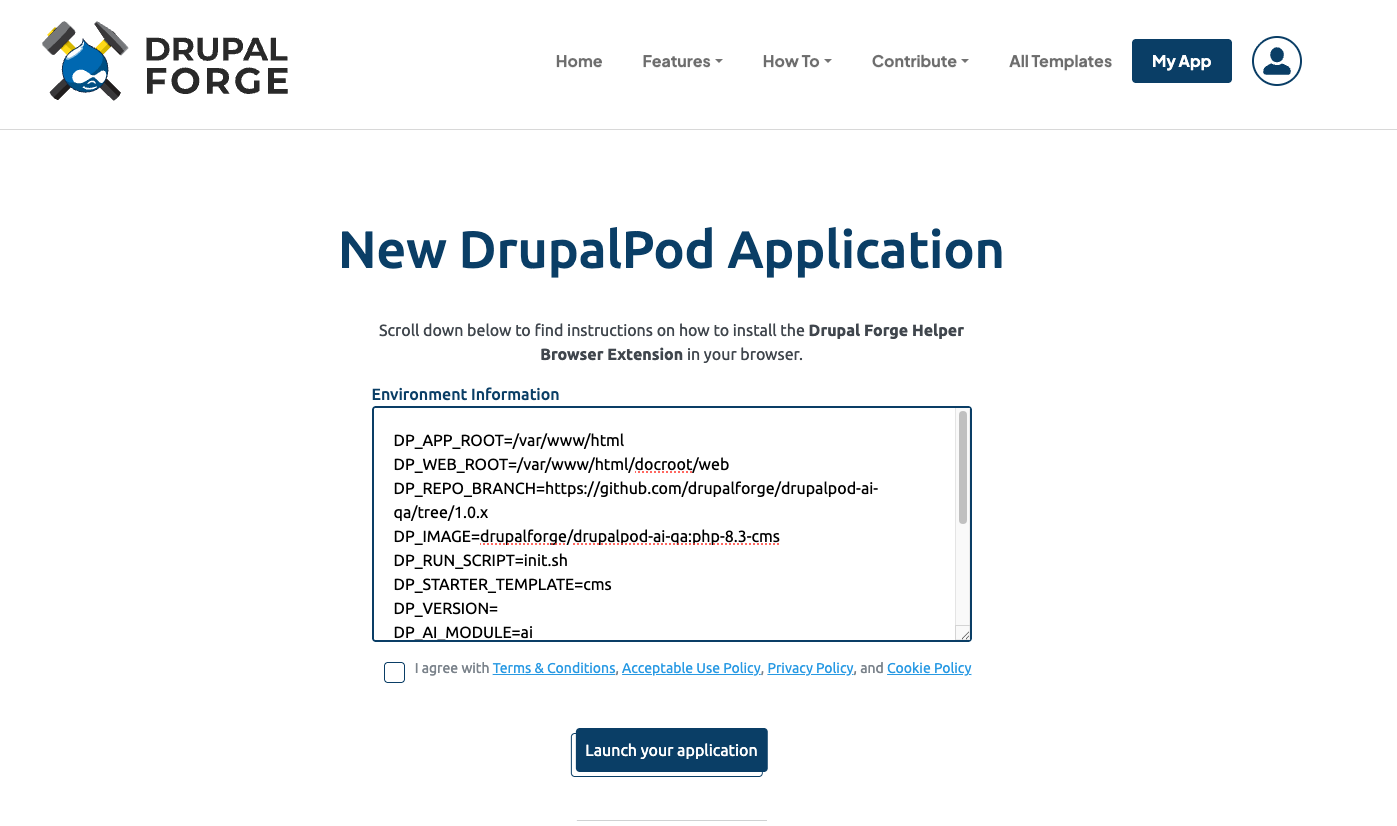
Here, the environment is built around:
- A selected starter template such as
cms - The base
aiproject - Optional extra modules added through
DP_EXTRA_MODULES
Example:
- Build a Drupal CMS environment with
ai,ai_search, andai_image_alt_textavailable for exploration
This is useful when you want to:
- try AI ecosystem modules together in one environment
- explore how a module behaves before working on a specific issue
- prepare a general-purpose QA or demo machine
In local or advanced hosted setups, DP_EXTRA_MODULES can be used to ask for
additional modules such as:
ai_searchai_agentsai_provider_amazeeioai_image_alt_text
Extra modules are checked for compatibility and may be skipped if they do not match the resolved AI version. Currently, DrupalPod AI QA does not support getting specific versions or forks of extra modules, but that is a potential future enhancement.
If you want a generic DrupalForge launch URL for this kind of environment, you can start here and manually fill in the missing values: